
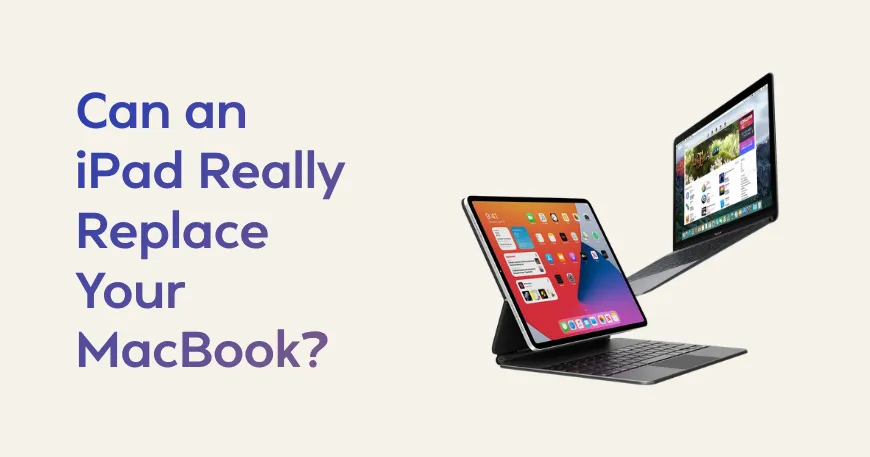
Apple puts the exact same M-series silicon inside both its flagship tablets and its best-selling laptops. Apple's latest MacBook Pro now runs on the M6 chip, while the MacBook Air and iPad Pro run on M5 silicon. To keep this comparison fair, we matched the M5 versions side by side. On paper, an iPad Pro with M5 chip looks just as fast as a MacBook Air with M5 chip, which makes many buyers assume that adding a keyboard turns that sleek tablet into a full laptop replacement.
But the reality is different! For most professionals, students, and everyday users in Bangladesh, an iPad still cannot replace a MacBook. The biggest problem isn't the hardware; it's iPadOS. Its touch-first interface, limited file management, restricted multitasking, and lack of full desktop software can become frustrating when real work demands more flexibility.
And there's another factor buyers often overlook; cost. Once you add a Magic Keyboard, Apple Pencil, and other essential accessories, an iPad setup can become surprisingly expensive. Before you spend over BDT 150,000 on an Apple setup, look at where each device wins and where hidden accessory costs change the math.
Table of Contents
- The Core Difference: iPadOS vs macOS in 2026
- iPad vs MacBook: Full Hardware and Spec Comparison
- Real-World Workflow Test: Where Each Device Wins
- The Hidden Cost Trap: Accessories Change the Price Math
- Who Should Buy an iPad vs a MacBook?
- Frequently Asked Questions (FAQs)
The Core Difference: iPadOS vs macOS in 2026
The operating system decides the iPad vs Mac debate far more than the processor. An iPad Pro M5 and a MacBook Air M5 share similar M5 silicon, yet iPadOS restricts you to App Store apps and touch-based windowing, while macOS delivers full desktop software, open file directories, and unconstrained multi-monitor productivity.
Apple has upgraded iPadOS in recent releases with resizable app windows, a menu bar, and better external drive support. Even with those updates, iPadOS still behaves like a scaled-up mobile system rather than a full computer experience. You cannot freely install software from outside the App Store, run background developer tools, or manage nested project folders at desktop speed.
macOS gives you complete control over your machine the moment you open the lid. You get a real Finder file system, Terminal access, full desktop browsers with extensions, full versions of professional applications, and unrestricted background multitasking. A MacBook can even run most iPhone and iPad apps natively, while an iPad can never run full macOS software.
iPad vs MacBook: Full Hardware and Spec Comparison
Comparing Apple's M5 lineup alongside the iPad Air M4 shows a clear difference between display technology and workstation utility. Even though Apple's latest entry 14-inch MacBook Pro steps up to M6, matching the M5 models keeps raw silicon equal so you can see how the MacBook Air M5 and MacBook Pro M5 still stay ahead in base RAM, built-in ports, and battery life.
| Feature | iPad Air (M4) | iPad Pro (M5) | MacBook Air (M5) | MacBook Pro (M5) |
|---|---|---|---|---|
| Processor | Apple M4 (8-core CPU) | Apple M5 (Up to 10-core CPU) | Apple M5 (10-core CPU) | Apple M5 / M5 Pro / M5 Max |
| Base Memory (RAM) | 12GB Unified Memory | 12GB Unified Memory | 16GB Unified Memory | 16GB to 24GB Unified Memory |
| Base Storage | 128GB | 256GB | 512GB SSD | 512GB to 1TB SSD |
| Display | 11" or 13" Liquid Retina (60Hz) | 11" or 13" Tandem OLED (120Hz) | 13.6" or 15.3" Liquid Retina (60Hz) | 14.2" Mini-LED XDR (120Hz) |
| Operating System | iPadOS | iPadOS | macOS | macOS |
| Keyboard & Trackpad | Sold separately | Sold separately | Built-in Backlit Magic Keyboard | Built-in Backlit Magic Keyboard |
| Stylus Support | Apple Pencil Pro | Apple Pencil Pro | None | None |
| Ports | 1x USB Type-C | 1x Thunderbolt / USB 4 | MagSafe 3, 2x Thunderbolt 4, Audio | MagSafe 3, 3x Thunderbolt, HDMI, SDXC |
| Battery Life | Up to 10 hours | Up to 10 hours | Up to 18 hours | Up to 24 hours |
| Weight (Tablet / Laptop) | 464g (11") / 616g (13") | 444g (11") / 579g (13") | 1.23 kg (13.6") | 1.55 kg (14.2") |
The MacBook has a clear advantage when it comes to base hardware specifications. The MacBook Air M5 comes with 16GB of unified memory and a 512GB SSD as standard, providing enough capacity for demanding multitasking and on-device Apple Intelligence features. Even the entry-level MacBook Neo offers Apple Intelligence support and a built-in keyboard at a lower price than many mid-range tablet setups, and if you step up to the newer M6 14-inch MacBook Pro, that performance lead widens even further. In comparison, the base A16 iPad does not support Apple Intelligence at all.
Real-World Workflow Test: Where Each Device Wins
An iPad beats a MacBook in stylus-driven art, note-taking, HDR media streaming, and portability. On the flip side, a MacBook outperforms any iPad in heavy spreadsheets, software development, multi-window research, video editing, and local AI workflows.
1. Writing, Office Work, and Spreadsheets
For everyday emails, Google Docs, and Microsoft Word, an iPad with a Magic Keyboard offers a comfortable typing experience. The limitations become noticeable when working with complex Excel macros, multiple browser windows, or frequent file transfers. On a MacBook, you can keep 15 browser tabs, spreadsheets, Slack, and a PDF reference open at once without fighting window resizing gestures.
2. Creative Design, Illustration, and Video Editing
Digital artists and illustrators get tools on an iPad that no MacBook offers. Apps like Procreate and Procreate Dreams pair with the Apple Pencil Pro's pressure sensitivity, tilt response, and 120Hz Tandem OLED screen to create a true digital canvas. Even photo selection and editing in Lightroom feel more intuitive with touch controls.
Video editors and 3D designers face a different reality. Although Final Cut Pro and DaVinci Resolve run on iPadOS for short-form social edits, full desktop versions on macOS deliver better plugin support, external monitor calibration, and sustained thermal speed. Heavy desktop tools like Blender, AutoCAD, and After Effects remain strictly on Mac.
3. Coding, Web Development, and Local AI Tools
For software developers and technical professionals, a MacBook is considerably more practical. iPadOS lacks the full desktop development environment, Docker support, advanced IDE debugging, and browser developer tools available on macOS. Plus, while cloud AI tools like ChatGPT, Claude, and Gemini work well on both devices, running local LLMs and file-aware AI agents requires the RAM headroom and open file system of a MacBook.
4. Portability, Ergonomics, and Battery Endurance
Carrying a 444-gram 11-inch iPad Pro makes reading PDFs, signing documents, and watching Netflix during flights incredibly convenient. A MacBook simply cannot match that handheld flexibility. However, adding a Magic Keyboard to the 13-inch iPad Pro increases its weight to roughly that of a 13.6-inch MacBook Air. It can also feel top-heavy on your lap and deliver 6 to 8 hours less battery life on a single charge.
The Hidden Cost Trap: Accessories Change the Price Math
An iPad often looks cheaper than a MacBook until you add mandatory laptop accessories. Once you include the official Magic Keyboard and Apple Pencil Pro, a 13-inch iPad Pro setup can end up costing noticeably more than a 13-inch MacBook Air M5, which comes with higher base RAM and twice the storage.
This is where many first-time Apple buyers in Bangladesh miscalculate their budget. An iPad Pro M5 or iPad Air M4 comes as a standalone tablet with a single USB Type-C port. To use it as a workstation, you'll need a Magic Keyboard for typing, an Apple Pencil Pro for notes and drawing, and a Type-C hub for connecting external SSDs and displays. These add-ons can easily add tens of thousands of Taka to the final bill.
The MacBook Air M5, meanwhile, comes ready for work straight out of the box. You get a full-sized backlit keyboard, a large Force Touch trackpad, MagSafe 3 charging, and two Thunderbolt 4 ports. It also includes 16GB of unified memory and 512GB of SSD storage, with no additional accessory purchases required to get started.
Who Should Buy an iPad vs a MacBook?
Buy a MacBook if you need one primary computer for typing, heavy multitasking, coding, business management, or pro desktop software. Buy an iPad if your daily routine revolves around drawing, handwritten notes, reading, or field presentations, or if you already own a reliable desktop PC or laptop.
University Students & Researchers: The MacBook Air M5 or MacBook Neo is a practical choice for writing lengthy assignments, managing multiple browser tabs, using statistical software, and working with full Microsoft Office applications.
Developers, Marketers & Office Professionals: The MacBook Air M5 or 14-inch MacBook Pro with M5 or M6 Chip offers desktop browsers, local development tools, multi-monitor support, and up to 24 hours of battery life.
Digital Artists, Architects & Note-Takers: The iPad Pro M5 or iPad Air M4 provides a more natural creative experience with Apple Pencil Pro, Procreate, CAD markup apps, and a portable touchscreen.
Existing Desktop or Laptop Owners: The base iPad A16 or iPad Air M4 works well as a lightweight secondary device for reading, travelling, note-taking, and entertainment.
If you are buying your only computer for work or university, start with a MacBook. Adding an iPad later makes far more sense than trying to force a tablet into a full-time laptop role.
Frequently Asked Questions (FAQs)
Can an iPad Pro M5 replace a MacBook Air M5 for university students?
An iPad Pro M5 or iPad Air M4 works well for students whose courses focus on reading PDFs, taking handwritten notes with Apple Pencil Pro, and writing basic essays. However, students studying computer science, engineering, data analytics, or finance need a MacBook Air M5 to run desktop coding environments, statistical tools, and full Microsoft Excel features.
Why does Apple not put macOS on the iPad Pro?
Apple keeps iPadOS and macOS separate because each operating system is engineered for a different input method. iPadOS optimizes every menu, gesture, and animation for direct finger touch and Apple Pencil precision, while macOS relies on dense pointer-driven menus and multi-window desktop workflows.
Is an iPad with a Magic Keyboard heavier than a MacBook Air?
Yes, in the 13-inch size class, a 13-inch iPad Pro attached to a Magic Keyboard weighs roughly the same as a 13.6-inch MacBook Air (around 1.23 kg). While you can detach the tablet when you want a lighter handheld screen, carrying both pieces in your backpack offers no weight savings over a MacBook Air.
Which lasts longer on a single charge, an iPad or a MacBook?
A MacBook lasts noticeably longer than an iPad during active workday tasks. The MacBook Air M5 delivers up to 18 hours of battery life and the 14-inch MacBook Pro M5 reaches up to 24 hours, compared to roughly 10 hours of typical mixed usage on an iPad Air or iPad Pro.
Can you connect an external monitor to both an iPad and a MacBook?
Yes, both devices support external displays, but MacBooks offer far greater display flexibility. A MacBook Air M5 natively drives up to two external 6K displays simultaneously alongside its built-in screen, while iPadOS external monitor support remains limited to a single external display with stricter window scaling rules.
Choosing the Right Apple Device at Star Tech
The takeaway is simple! An iPad is an excellent digital notebook and creative companion, but a MacBook remains the more practical choice as a primary computer for everyday productivity. Before making your decision, if possible, try the keyboard, compare screen sizes, and check the weight in person to find the device that best fits your daily needs.
Explore the latest official Apple iPad and MacBook models at Star Tech online, or visit your nearest Star Tech outlet in Dhaka, Chattogram, Khulna, Gazipur, or Rangpur for hands-on guidance and official warranty support.

Comments
There are no comments for this Article.