
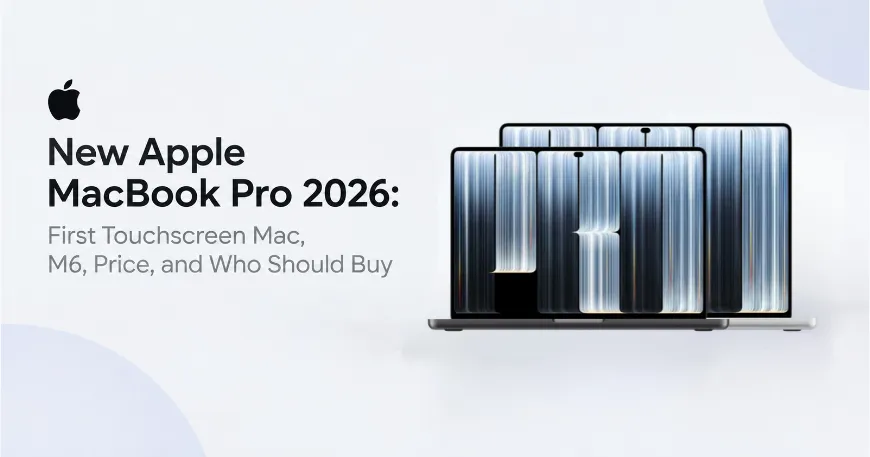
After five years of anticipation, Apple has officially unveiled its most significant laptop redesign in half a decade. The 2026 MacBook Pro lineup presents a fascinating strategic divergence. At the entry level, Apple supercharges the baseline 14-inch model with the next-generation M6 processor. At the top tier, Apple introduces a pair of flagship laptops featuring a tandem OLED PROLED XDR display, onscreen Multi-Touch gestures which is Apple's first touchscreen MacBook, a Dynamic Island, and the nostalgic return of the illuminated rear Apple logo.
For creative professionals, developers, and tech enthusiasts considering an upgrade, this comprehensive review explores every hardware advancement, evaluates the $400 touchscreen pricing premium, and provides a clear buyer’s guide including official warranty details for international readers and regional pricing at retailers like Star Tech.
Table of Contents
- What is new in the MacBook Pro 2026 lineup?
- MacBook Pro M6 (14-inch)
- MacBook Pro with PROLED XDR display
- MacBook Pro PROLED XDR vs MacBook Pro M6 specs
- What does the PROLED XDR display change?
- Tandem OLED brightness and contrast
- MacBook Pro touchscreen
- Dynamic Island, weight and sound
- What stays the same on the new MacBook Pro?
- Which new MacBook Pro should you buy?
- MacBook Pro price in Bangladesh
What is new in the MacBook Pro 2026 lineup?
However, beneath these eye-catching physical innovations lies a notable compromise. While the baseline 14-inch MacBook Pro model moves forward with 2nm-class M6 architecture, the ultra-premium $2,899-plus PROLED XDR models carry over the M5 Pro and M5 Max chips introduced earlier this year. Evaluating this new lineup requires weighing whether cutting-edge display technology and touch interactivity outweigh the absence of a raw processor bump for high-end power users.
MacBook Pro M6 (14-inch)
The MacBook Pro M6 is the new entry point. It has a 12-core CPU, a 12-core GPU and a Dual 16-core Neural Engine. Apple says the GPU is up to 30 percent faster than M5, and AI workloads run up to 25 percent faster. Memory starts at 16GB and reaches 32GB. It keeps the mini-LED Liquid Retina XDR display, which peaks at 1600 nits in HDR. It starts at $1,999, or $1,899 with education pricing.
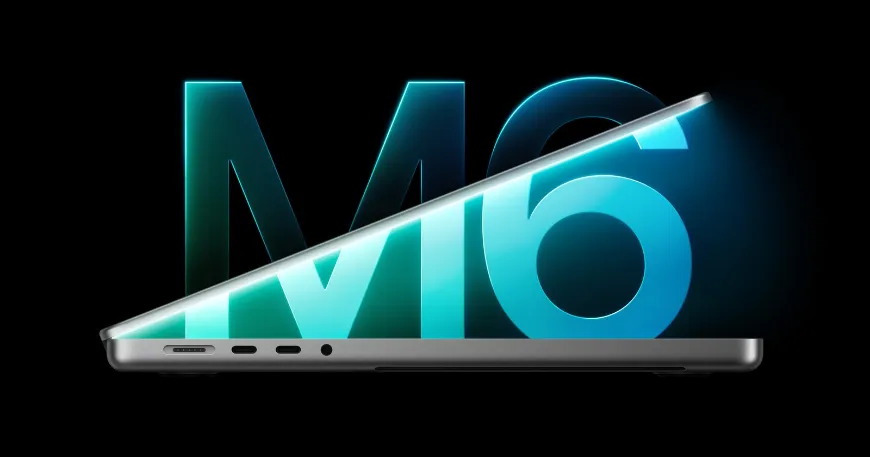
MacBook Pro with PROLED XDR display
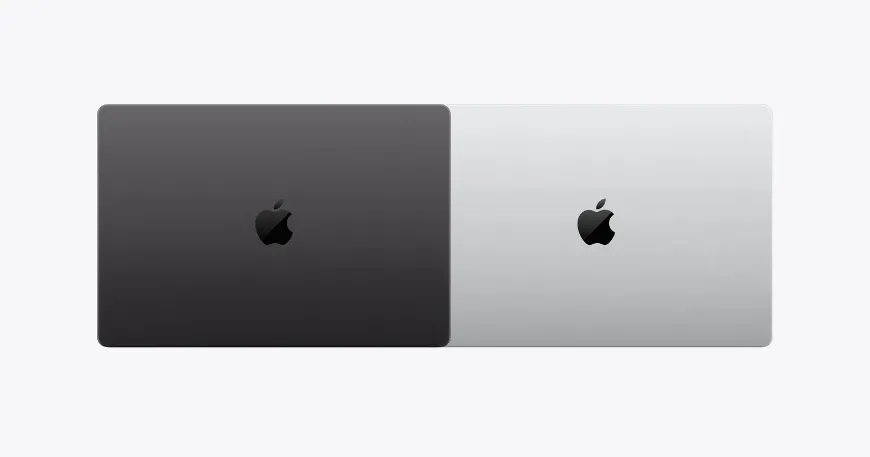
The MacBook Pro PROLED XDR is the premium option. It comes in 14.2-inch and 16.3-inch sizes with M5 Pro or M5 Max. The big changes are a tandem OLED screen, touch support and a Dynamic Island in place of the notch. It is also lighter, at 3.0 lb for the 14-inch and 4.0 lb for the 16-inch with M5 Pro. The Apple logo on the lid glows again. Storage now reaches 16TB, up from 8TB.
MacBook Pro PROLED XDR vs MacBook Pro M6 specs
To see how the new lineup compares at a glance, the table below outlines the core hardware specifications across the baseline M6 model and the premium PROLED XDR tandem OLED configurations.
| Spec | 14-inch MacBook Pro (M6 Baseline) | 14.2-inch MacBook Pro (PROLED XDR) | 16.3-inch MacBook Pro (PROLED XDR) |
|---|---|---|---|
| Chip | Apple M6 (12-Core CPU / 12-Core GPU) | M5 Pro or M5 Max Chips | M5 Pro or M5 Max Chips |
| Display | Liquid Retina XDR (Mini-LED) | PROLED XDR (Tandem OLED) | PROLED XDR (Tandem OLED) |
| Touchscreen | Standard Display (No Touch) | Onscreen Multi-Touch Sensor | Onscreen Multi-Touch Sensor |
| Peak SDR & HDR Brightness | 1,000 nits SDR / 1,600 nits HDR | 2,000 nits SDR & HDR (Outdoors) | 2,000 nits SDR & HDR (Outdoors) |
| Contrast Ratio | 1,000,000:1 | 10,000,000:1 True Black | 10,000,000:1 True Black |
| Color Gamut | P3 Wide Color | P3 + Adobe RGB Wide Color | P3 + Adobe RGB Wide Color |
| Display Cutout & Logo | Camera Notch / Mirror Logo | Dynamic Island / Glowing Apple Logo | Dynamic Island / Glowing Apple Logo |
| Unified Memory | 16GB to 32GB | 24GB to 128GB | 24GB to 128GB |
| Storage | 1TB to 4TB | 1TB to 16TB Ultra-Fast | 1TB to 16TB Ultra-Fast |
| Weight | 3.4 lbs (1.55 kg) | 3.0 lbs (1.36 kg) | 4.0 lbs (1.81 kg) |
| Battery Life | Up to 24 Hours Video Playback | Up to 22 Hours Video Playback | Up to 24 Hours Video Playback |
| US Starting Price | $1,999 ($1,899 Education) | $2,899 (M5 Pro) | $3,399 (M5 Pro) |
What does the PROLED XDR display change?
Tandem OLED brightness and contrast
Tandem OLED stacks two light-emitting layers. Each pixel switches on and off by itself, so blacks look black and highlights do not bloom. Apple rates the screen at 2000 nits peak for both HDR and SDR. The mini-LED MacBook Pro model peaks at 1600 nits in HDR. Contrast rises from 1,000,000:1 to 10,000,000:1. Color now covers P3 and Adobe RGB, which helps photographers and print designers. The refresh rate adapts from 10 Hz to 120 Hz. Apple also added DICOM reference modes, but only for non-diagnostic review.
MacBook Pro touchscreen
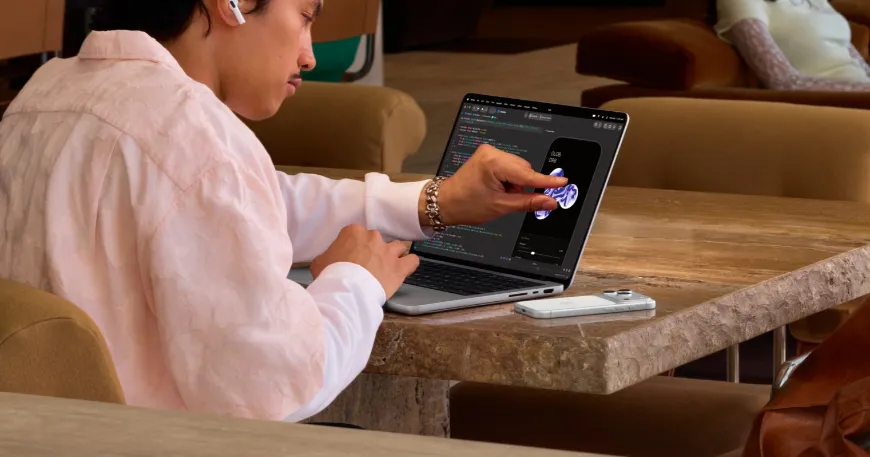
The MacBook Pro touchscreen is the most debated feature. The touch sensor sits inside the display panel, which Apple says cuts latency. You can scroll, pinch to zoom, drag files and flick windows into place. macOS turns many taps into clicks, so existing apps work on day one. Apple has not announced Apple Pencil support.
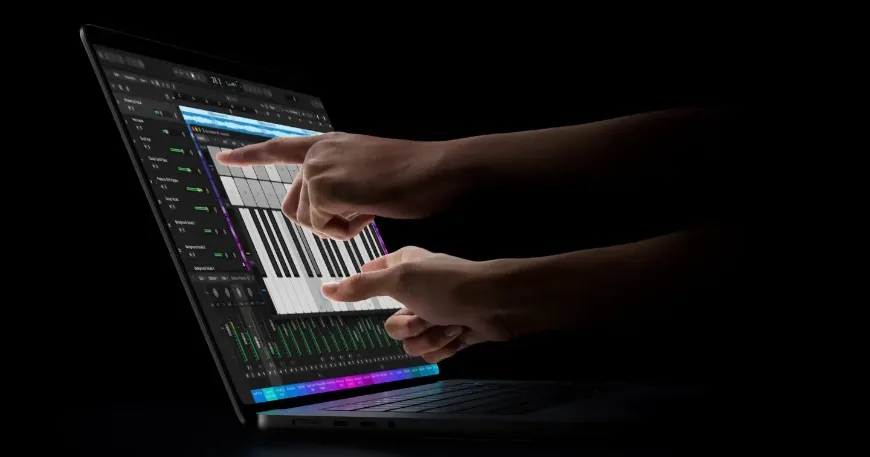
Early hands-on coverage is split. Some reviewers see real use in Logic Pro, Blender and iOS app testing. Others say a trackpad is faster for most jobs. A few demo videos still showed the screen wobbling when tapped on new MacBook Pro, even with Apple's redesigned hinge. Fingerprints showed on both the glossy and nano-texture finishes. Treat all of this as early impressions until full reviews arrive.
Dynamic Island, weight and sound
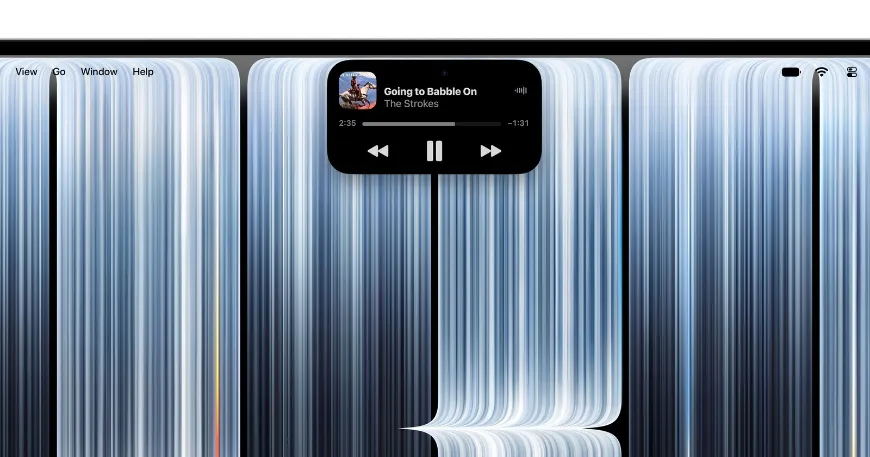
The Dynamic Island replaces the notch and hosts Spotlight, Live Activities, and Siri AI. There is still no Face ID, so Touch ID stays as the login. The 14-inch MacBook Pro weighs half a pound less than before. The 16-inch is 0.7 lb lighter. Apple also reworked the thermals to push warm air away from the screen, and the new woofers give 50 percent deeper bass. If you carry your laptop every day, the weight drop may matter more than touch.
What stays the same on the new MacBook Pro?
Apple kept most of the hardware. The M5 Pro and M5 Max chips match the March models, so speed does not change. Battery life matches too, at up to 22 hours of video streaming on the 14-inch and 24 hours on the 16-inch with M5 Pro. Ports are the same, and memory still tops out at 128GB. The camera is still 12MP, now with stabilization for when you tap the screen. Apple lists no cellular modem.
Which new MacBook Pro should you buy?
Reviewers who matched configurations found the PROLED XDR model costs about $400 more than the mini-LED version with the same chip, memory and storage.
Buy the MacBook Pro M6 if you want the lowest price
The MacBook Pro M6 model starts $900 below the cheapest PROLED XDR laptop. It tops out at 32GB of memory and 4TB of storage, and it supports two external displays. That fits students, office work and everyday editing. M5 Pro still offers more cores and up to 64GB of memory if you need headroom.
Buy the PROLED XDR model for color work or daily travel
Photographers and video editors get Adobe RGB, 10,000,000:1 contrast and calibrated reference modes. Frequent travelers get a lighter laptop. For most buyers, MacBook Pro M5 Pro is enough. Pick MacBook Pro M5 Max only for heavy 3D, video, or local AI model work, since it starts at $4,499 for the 14-inch.
Skip the upgrade if you own an M4 or M5 MacBook Pro
Speed and battery life do not change, so the screen and touch are the only reasons to switch. Apple skip M6 Pro and M6 Max and go straight to M7 Pro and Max in 2027. If you want new silicon in a MacBook Pro model, waiting may pay off.
MacBook Pro price in Bangladesh
Apple has announced US prices only, and Bangladesh price and availability are not announced yet. When new MacBook Pro arrives, you will find it at Star Tech with the best price and official warranty. Local prices for the new models will differ from US prices because of import costs and retailer margins. Check Star Tech's MacBook page for new listings, and buy from an authorized seller like star tech, so your warranty stays valid. If you need support later, Star Tech's service center repairs MacBooks.
Frequently Asked Questions (FAQS)
When does the new MacBook Pro come out?
Pre-orders opened on October 28, 2026 Both the 14-inch M6 and the PROLED XDR models arrive on Friday, November 6, in Apple Stores and at Apple Authorized Resellers. Stay with Star Tech to buy new MacBook Pro in Bangaldesh at the best price with an official warranty.
Does the new MacBook Pro have a touchscreen?
Only the PROLED XDR models do. The M6 model has no touch. The sensor is built into the OLED panel, and macOS turns taps into clicks. Apple has not announced Apple Pencil support.
Is the PROLED XDR MacBook Pro faster than the M5 Pro model?
No. Both use the same M5 Pro and M5 Max chips. Battery life and ports match too. You get the OLED screen, touch, Dynamic Island, lower weight and new speakers.
How much does the new MacBook Pro cost?
In the US, the 14-inch M6 starts at $1,999. The PROLED XDR 14-inch with M5 Pro starts at $2,899, and the 16-inch at $3,399. M5 Max versions start at $4,499 and $4,799.
What is PROLED XDR?
Apple’s branding for its tandem OLED display technology. It stacks two light-emitting layers for 2,000 nits peak brightness, 10,000,000:1 contrast, P3 + Adobe RGB color, and 120Hz ProMotion.
Does the MacBook Pro have Face ID now?
No. The Dynamic Island hides the camera, but Face ID is not available. Touch ID on the keyboard remains the biometric login method.
Can you draw on the MacBook Pro touchscreen?
You can use your finger for basic input, but there is no Apple Pencil support. For precision drawing, an iPad Pro with Apple Pencil remains the better choice.
Is M5 Max worth it over M5 Pro?
For 99% of users, no. Only buy M5 Max if you know you need its GPU and memory bandwidth for heavy 3D rendering, large video timelines, or local AI model work.
Should I wait for the M7 MacBook Pro?
If you need raw performance and can wait until 2027, yes. The M7 (rumored 2nm process) will likely outperform M5 Pro/Max significantly. This 2026 model is a display-first upgrade, not a silicon leap.
Is the new MacBook Pro thinner and lighter?
Yes. The 14-inch is 3.0 lb (was 3.5 lb); the 16-inch is 4.0 lb (was 4.7 lb). Both are thinner than the previous generation.
Does the glowing Apple logo stay on forever?
It illuminates when the laptop is open and turns off when closed. Brightness can be adjusted via software.

Comments
There are no comments for this Article.