
Digital art has become more accessible than ever. Whether you are an aspiring illustrator, graphic designer, animator, student, or simply someone who enjoys sketching, you no longer need a traditional drawing setup to get started.
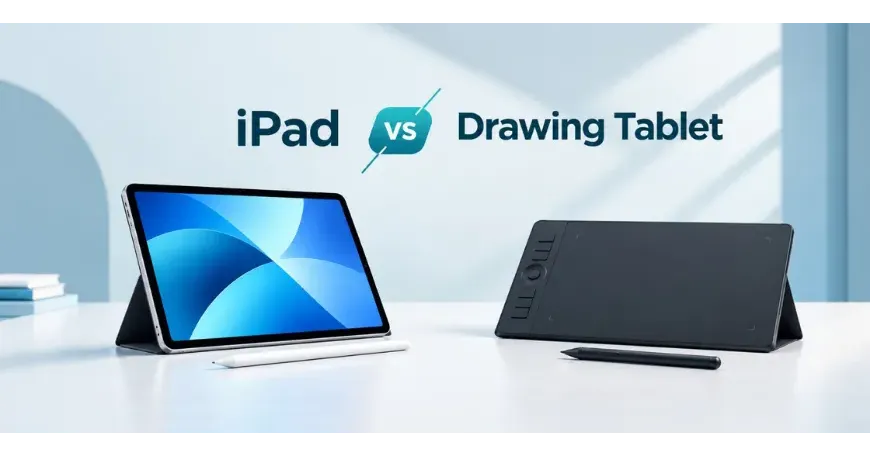
Two popular choices are iPad with Apple Pencil and a dedicated drawing tablet. Both can deliver excellent results, but they are designed around very different workflows. An iPad gives you a portable, all-in-one creative device. A graphics tablet, meanwhile, is built primarily for working with a computer and professional creative software.
So, which is better: iPad or drawing tablet?
The answer depends on how you plan to draw, what software you use, how portable your setup needs to be, and how much you want to spend. In this guide, we compare the two options to help you make the right choice.
Table of Contents
- Main Differences Between an iPad and a Drawing Tablet
- What Is an iPad for Drawing?
- What Is a Drawing Tablet?
- How Do They Compare for Drawing?
- What About Photoshop?
- Which Is Better for Procreate?
- Which Works Better for Graphic Design?
- What About Animation?
- Portability: iPad Wins
- Software and Compatibility
- Price and Value: Which Is More Affordable?
- Which Is Better for Beginners?
- What Should Professional Artists Choose?
- iPad vs Drawing Tablet: Which One Should You Buy?
- Final Decision: iPad or Drawing Tablet?
Main Differences Between an iPad and a Drawing Tablet
| Feature | iPad + Apple Pencil | Drawing Tablet |
|---|---|---|
| Drawing experience | Excellent | Excellent |
| Portability | Excellent | Depends on type |
| Standalone use | Yes | Usually no |
| Professional software | Good | Excellent |
| Photoshop workflow | Good | Excellent |
| Digital illustration | Excellent | Excellent |
| Photo editing | Excellent | Excellent |
| Animation | Good | Excellent |
| Note-taking | Excellent | Limited |
| Gaming/entertainment | Excellent | No |
| Large-screen workspace | Limited by iPad size | Excellent with pen displays |
| Beginner friendly | Very easy | Requires some learning |
| Upgrade flexibility | Limited | More flexible |
| Best for | Artists who want portability | Dedicated PC/Mac creators |
What Is an iPad for Drawing?
An iPad is primarily a general-purpose tablet, but compatible models can become powerful digital drawing devices when paired with an Apple Pencil. The biggest advantage is the all-in-one experience. You don't need a separate computer, monitor or drawing tablet. The display, operating system, drawing application and stylus are all part of the same setup. You can use applications such as Procreate, Adobe Fresco and other creative apps to sketch, paint, illustrate and edit images.
Apple Pencil also supports features such as pressure sensitivity and tilt sensitivity on compatible models, giving artists greater control over strokes and shading. However, iPad and Apple Pencil compatibility varies between models, so buyers should always check which Pencil works with the specific iPad they plan to purchase. For someone who wants to sketch during a commute, work from different locations or simply avoid a complicated desktop setup, an iPad is extremely convenient.
What Is a Drawing Tablet?
A drawing tablet, often called a graphics tablet or pen tablet, is a dedicated input device designed for digital drawing and creative work. Traditional pen tablets do not have their own screen. You draw on the tablet's surface while looking at your computer monitor. Your pen movements are translated into the software on your PC or Mac. Brands such as Wacom, XP-Pen and Huion offer graphics tablets in different sizes and price ranges.
There is also another category called a pen display. Unlike a traditional graphics tablet, a pen display has a built-in screen, allowing you to draw directly on the display. Wacom describes these as two distinct approaches: with a pen tablet, you draw on the tablet and see the result on your computer screen; with a pen display, you draw directly on the screen. This distinction is important because when people say "drawing tablet," they may actually mean either type.
How Do They Compare for Drawing?
Both can provide an excellent drawing experience, but they feel different. With an iPad and Apple Pencil, you draw directly on the screen. The experience is intuitive because your hand, pen and artwork are all in the same place. For beginners, this can feel very natural. You can also rotate, zoom and move around your canvas using touch gestures.
A traditional pen tablet requires more coordination because you draw on one surface while looking at another screen. It can take some time to get used to. Once you become comfortable, however, it can be extremely precise and efficient. A pen display provides a more direct experience similar to an iPad. You draw directly on its screen while working with your computer.
For professional digital artists, the choice often comes down to personal preference and workflow rather than simply which device has better pen technology.
What About Photoshop?
If Photoshop is your primary software, a drawing tablet can have an advantage. Desktop creative applications are designed around Windows and macOS workflows. You get access to the full desktop versions of Photoshop and other professional applications, along with extensive keyboard shortcuts, plugins, panels and file-management options. A pen tablet can also sit alongside a keyboard, mouse and large monitor. This can be especially useful for professional graphic designers and photo editors. An iPad can still be very capable for Photoshop and other creative tasks, but the experience is different from using a desktop workstation.
If your workflow involves heavy Photoshop projects, multiple applications and lots of files, a drawing tablet paired with a PC or Mac is often the more practical choice.
Which Is Better for Procreate?
This is where the iPad becomes particularly attractive. Procreate is designed specifically around the iPad experience. You can draw directly on the display, use touch gestures and take advantage of Apple Pencil features. For artists who primarily use Procreate, an iPad can be an incredibly convenient setup. There is no separate computer, monitor or drawing tablet required. Your canvas, software and drawing surface are all in one device.
If your main goal is illustration and you prefer a portable workflow, iPad + Apple Pencil is hard to beat.
Which Works Better for Graphic Design?
Graphic design is a little more complicated. For simple design work, social media graphics, sketching concepts and creating visual ideas, an iPad can be excellent. It is particularly useful when you want to sketch a concept quickly before developing the final design on a computer. For a professional graphic designer who spends hours inside Photoshop, Illustrator or other desktop applications, however, a dedicated drawing tablet can make more sense. A large monitor gives you more room for toolbars, layers, artboards and multiple windows. A pen tablet can also provide customizable buttons and shortcuts, depending on the model. This can make repetitive professional work faster.
What About Animation?
For serious animation work, a drawing tablet connected to a computer generally has the advantage. Professional animation workflows can involve large files, multiple applications, complex timelines and extensive desktop software. A larger monitor or pen display also gives you more workspace. That does not mean an iPad is unsuitable for animation. It can be excellent for learning animation, creating short projects, storyboarding and working on the go. But if animation is your full-time profession, a computer-based setup with a good graphics tablet or pen display is usually the safer long-term investment.
Portability: iPad Wins
This is probably the biggest difference between the two. An iPad is designed to be portable. You can take it to class, a café, a meeting or a client presentation and continue working without setting up a workstation. A traditional drawing tablet usually needs a computer. Even a pen display requires additional equipment and cables. Wacom's current pen display range, for example, is designed to connect to computers, while its pen tablets are available with computer and, on some models, other device compatibility. If you frequently travel or like drawing away from your desk, the iPad has a clear advantage.
Software and Compatibility
Software should be one of the first things you consider before buying either device. An iPad gives you access to a large ecosystem of tablet applications. It is particularly strong for illustration, note-taking, sketching and mobile creative workflows. A drawing tablet essentially works as an input device for your computer, so your software options depend largely on the operating system and applications running on that computer.
Professional drawing tablets support workflows involving applications such as Photoshop, Illustrator, Clip Studio Paint and other creative software. For example, Wacom's current products cover pen tablets, pen displays and portable creative devices, with compatibility varying by model. Before purchasing, check the compatibility of the exact tablet with your computer and preferred software.
Price and Value: Which Is More Affordable?
The initial price of an iPad can be higher than that of a basic pen tablet, but the total cost depends on what equipment you already own. If you already have a capable PC or Mac, a traditional pen tablet can be one of the most affordable ways to get started with digital art. You only need the tablet and your existing computer.
An iPad can be more expensive as a drawing device, particularly when you add an Apple Pencil, but it also works as a standalone computer for entertainment, productivity, browsing, note-taking, and other everyday tasks.
A pen display usually sits somewhere between these approaches in terms of functionality: it provides a dedicated screen for drawing but still requires a computer. Consider the complete setup rather than comparing the price of the drawing device alone.
Which Is Better for Beginners?
For someone completely new to digital art, an iPad can be easier to understand. You can draw directly on the screen, use touch gestures and start creating without building a complete desktop setup. A traditional drawing tablet has a learning curve because you initially need to coordinate your hand movement with what you see on the monitor.
That said, don't assume a graphics tablet is difficult. Most people adapt with practice. Once you become comfortable, the workflow can feel very natural. If you are learning digital art seriously and already have a capable PC, an affordable pen tablet can actually be an excellent starting point.
What Should Professional Artists Choose?
There is no universal winner. Professional illustrators who value mobility may prefer an iPad. It is easy to carry and particularly convenient for sketching and illustration. Professional designers, photo editors and animators who spend most of their working hours at a desk may prefer a graphics tablet or pen display.
For example, Wacom's professional lineup includes pen tablets designed around precision and productivity, while its Cintiq range focuses on drawing directly on a larger display. The right choice depends more on your workflow than your job title.
iPad vs Drawing Tablet: Which One Should You Buy?
Choose an iPad + Apple Pencil if:
You want to draw anywhere.
You prefer drawing directly on a screen.
You primarily use Procreate or similar apps.
You want one device for drawing, entertainment and productivity.
You are a student or hobby artist.
Portability is important to you.
Choose a drawing tablet if:
You already have a capable PC or Mac.
You mainly use Photoshop, Illustrator or desktop creative software.
You want a larger professional workspace.
You work with animation, photo editing or complex design projects.
You want dedicated creative hardware.
You want to spend less on the display by choosing a traditional pen tablet.
Choose a pen display if you want the professional computer-based workflow but prefer drawing directly on the screen.
Final Decision: iPad or Drawing Tablet?
So, is an iPad better than a drawing tablet? Not necessarily.
An iPad is the better all-in-one creative device. It combines a high-quality display, stylus input, creative apps and portability in one package.
A graphics tablet is the better dedicated professional tool, particularly when paired with a powerful PC or Mac and desktop creative software.
If you are an illustrator who travels frequently, an iPad could be the smarter choice. If you are a professional designer working eight hours a day in Photoshop or Illustrator, a drawing tablet or pen display may be more suitable. The most important thing is to choose based on your software, workflow, workspace and budget, rather than simply choosing the device with the higher specifications.
Find the Right Drawing Setup at Star Tech
Whether you are looking for an iPad, Apple Pencil, graphics tablet or pen display, choosing the right device can make a significant difference to your creative workflow. Explore the latest tablets and graphics tablets at Star Tech and find a device that fits your budget, software and creative needs.

Comments
There are no comments for this Article.