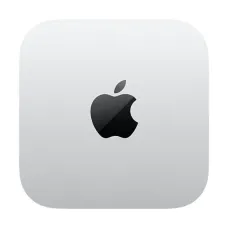
Buy Apple Mac Mini in Bangladesh at Star Tech
The Apple Mac Mini is a compact desktop computer powered by Apple silicon and running macOS. Its small footprint makes it suitable for home offices, workstations, and professional setups where desk space matters. Despite its compact design, it delivers strong performance for everyday computing and demanding creative workflows, depending on the configuration you choose.
The Mac Mini is a good choice for students, developers, designers, video editors and business users who want a Mac desktop without paying for a built-in display. If you already own a monitor, keyboard and mouse, it can be a practical way to enter the Apple desktop ecosystem. If you are comparing it with a Windows mini PC, the main difference is macOS and the way it works with other Apple devices.
At Star Tech, you can compare available Apple Mac Mini models, check their specifications and view the latest listed prices in Bangladesh before placing your order.
Latest Mac Mini Price List in BD
Which Mac Mini Should You Buy?
Mac Mini M6: The Newest Chip for Everyday Use
The Mac Mini M6 has a 12-core CPU and a 12-core GPU, with 16GB of unified memory and a 256GB SSD. It supports Wi-Fi 7, Bluetooth 6, and 2.5G Ethernet, and it has three Thunderbolt 4 ports. This is the right pick for study, office work, coding and photo editing. It suits anyone who wants the latest Mac Mini without paying for a Pro chip.
Mac Mini M5 Pro: The Most Powerful Mac Mini
The Mac Mini M5 Pro has a 15-core CPU and a 16-core GPU, with 24GB of unified memory and a 512GB SSD. It adds Thunderbolt 5 along with Wi-Fi 7, Bluetooth 6 and 2.5G Ethernet. Choose it for 4K video editing, 3D rendering, large development projects and heavy multitasking.
Mac Mini M4 Pro: A Strong Previous-Generation Option
The Mac Mini M4 Pro has a 12-core CPU and a 16-core GPU, with 24GB of unified memory and a 512GB SSD. It also includes Thunderbolt 5 ports. It is still a capable machine for demanding creative and development work. Compare the live prices in the list to see whether the M4 Pro or the M5 Pro gives you better value.
Mac Mini M4: An Affordable Way into macOS
The Mac Mini M4 has a 10-core CPU, a 10-core GPU and a 16-core Neural Engine. It comes with 16GB of unified memory and 256GB or 512GB of SSD storage, plus Wi-Fi 6E, Bluetooth 5.3 and Gigabit Ethernet. It handles browsing, documents, coding and light creative work well, and it is a good choice if you want a reliable Mac desktop at a lower cost.
Choose the Right Mac Mini RAM and SSD Storage
Memory and storage are important considerations when buying an Apple Mac Mini. The unified memory and internal SSD in Apple silicon Mac Mini models cannot be upgraded by the user after purchase, so choose a configuration that meets your expected needs for the next few years, not just today.
16GB of memory is enough for everyday tasks and development. 24GB suits heavier multitasking and creative work such as 4K editing. For storage, 256GB works for apps and documents, while 512GB gives more room for large projects and media files.
If you want to keep the price down, buy the smaller SSD and add a portable SSD for large files like video projects and backups. A hub or dock also helps if you need extra USB-A, SD card or Ethernet ports. However, external storage does not replace the benefits of choosing sufficient internal storage for your applications and frequently accessed files.
What You Need to Add to Your Mac Mini
The Mac Mini does not include a monitor, keyboard or mouse. You can use most standard accessories, or pair it with Apple's own keyboard and mouse. Mac Mini supports up to three displays, so it works well for multitasking and creative work. For sharp text and editing, a 4K monitor is a good match. You can also browse our full monitor range.
Apple Mac Mini vs MacBook, iMac and Mac Studio
Apple offers several computers for different needs. Choose the Mac Mini if you already own a monitor and want the lowest-cost way into macOS. If you need a portable machine, a MacBook is the better fit, as you can carry it between home, office and university. If you want a built-in display with no extra setup, look at the iMac. For the highest performance in a compact Apple desktop, the Mac Studio is a more powerful desktop for demanding professional workloads.
If you primarily work at a desk and already own compatible accessories, the Mac Mini can be an appealing desktop option.
Apple Mac Mini Warranty and Buying Tips in Bangladesh
Before buying an Apple Mac Mini in Bangladesh, check the product specifications and warranty details. Keep your invoice, since you will need it for warranty service. Star Tech sells Mac Mini models with official Apple warranty and has Apple-certified technicians for proper after-sales support.
Order Your Apple Mac Mini from Star Tech
Star Tech has been offering original Apple products in Bangladesh since 2007. Buy Apple Mac Mini from Star Tech and enjoy a seamless shopping experience with official Apple warranty and Apple-certified after-sales support. Choose the Mac Mini model that best suits your needs from our latest collection. If you need guidance on selecting the right chip, memory, and storage for your workload, simply call 16793 and talk to our expert team.
Enjoy EMI facility, nationwide delivery on online orders, and in-store shopping at our outlets in Dhaka, Chattogram, Rangpur, Gazipur, Khulna, Rajshahi, and Mymensingh. Complete your Mac Mini setup with a monitor, an Apple keyboard and mouse, or explore more from Apple at Star Tech. You can explore the latest collection of official iPad, iPhone, AirPods, and Apple Watch at best price at Star Tech.
Frequently Asked Questions (FAQ)
Q- 1: What is the Mac Mini price in Bangladesh?
The price depends on the chip, memory, and storage. The latest price for each model is regularly updated on Star Tech.
Q- 2: Which Mac Mini is best for video editing?
The Mac Mini M5 Pro is the best choice for 4K editing and rendering, and the M4 Pro is also a strong option. The M6 and M4 can handle lighter editing work.
Q- 3: Is the Mac Mini worth buying?
It is good value if you already have a monitor, keyboard and mouse and want a quiet, compact Mac for work, study or creative projects. If you need a portable computer or a built-in screen, a MacBook or iMac may suit you better.
Q- 4: Can I upgrade the RAM or SSD later?
No. Memory and storage are built into the Mac Mini and cannot be changed after purchase. You can add more space with an external SSD.
Q- 5: Does the Mac Mini come with a monitor, keyboard and mouse?
No. The monitor, keyboard and mouse are sold separately.
Q- 6: Can I run Windows on a Mac Mini?
Apple Silicon Macs do not support Boot Camp. You can run Windows in a virtual machine with third-party software, but performance and app compatibility vary.
Q- 7: Is the Mac Mini good for gaming?
It handles light to moderate gaming, but it is not built as a gaming PC. If gaming is your main goal, see our gaming PC range.
Q- 8: Does Star Tech offer EMI on the Mac Mini?
Yes. You can get your desired Mac Mini on EMI from Star Tech. Check the EMI terms page for banks and tenures.