
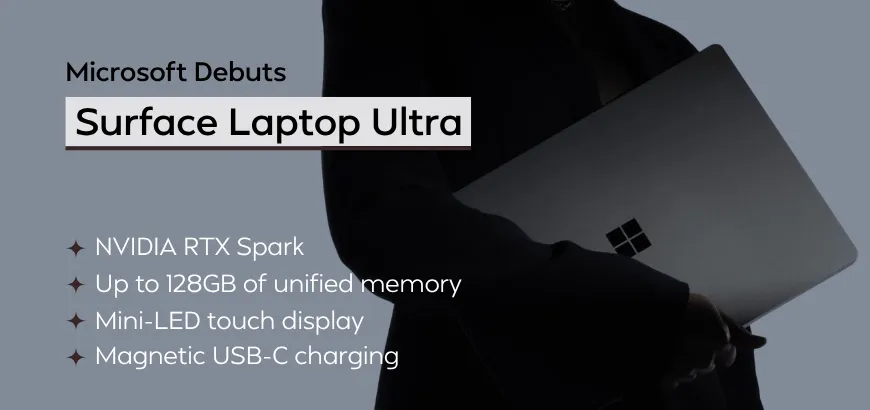
Microsoft is taking its premium laptop lineup in a new direction with the all-new Surface Laptop Ultra, a device designed to combine NVIDIA-powered AI performance, advanced display technology, and developer-focused features in a portable Windows PC.
The biggest attraction is its focus on local AI computing. Instead of relying entirely on cloud-based services, the laptop is designed around the idea of running more AI workloads directly on the device. This could make it appealing to software developers, AI engineers, researchers, and creative professionals who need powerful computing capabilities on the go.
From the NVIDIA-powered architecture and up to 128GB of unified memory to its Mini-LED touchscreen and magnetic USB-C charging, the Surface Laptop Ultra aims to deliver more than a conventional laptop upgrade.
Here’s a closer look at its expected features, specifications, pricing, and potential impact on the AI PC market.
Microsoft Surface Laptop Ultra: Key Features at a Glance
The Surface Laptop Ultra specifications highlight several features aimed at demanding professional workloads.
NVIDIA RTX Spark N1X Architecture: Pairs up to a 20-core Grace CPU with a 6,144-core Blackwell RTX GPU.
24GB to 128GB Unified Memory: Flexible LPDDR5x configurations built to run local models up to 120B parameters.
15-inch PixelSense Ultra Mini-LED touch display: 3270 x 2180 resolution at 120Hz, delivering up to 2,000 nits HDR (note: does not support Surface Pen).
Magnetic USB-C charging: A breakaway charging connection designed to detach when the cable is pulled.
Advanced cooling: A thermal system intended to sustain demanding workloads.
Professional connectivity: USB-C/USB4, HDMI, USB-A, an SD card reader, and a headphone jack.
Upgradeable storage: A user-accessible M.2 NVMe SSD slot.
These features position the Surface Laptop Ultra as a machine for users who need more than everyday productivity performance.
NVIDIA-Powered Performance for Local AI
One of the most interesting aspects of the Surface Laptop Ultra is its NVIDIA-powered computing architecture. The design is powered by the NVIDIA RTX Spark N1X superchip, offered in two configurations: an entry tier featuring an 18-core Grace CPU and 5,120-core Blackwell GPU, and a flagship tier scaling to a 20-core Grace CPU and 6,144-core Blackwell GPU. Both connect through a high-speed coherent interconnect to a shared LPDDR5x pool, allowing the system to run local models exceeding 120 billion parameters. Notably, Microsoft claims the device maintains up to 99% of its peak compute performance even when running on battery. The goal is to support demanding workloads by allowing the CPU and GPU to work efficiently with a shared memory pool. The top-tier configuration includes up to 128GB of unified LPDDR5x RAM and up to one petaflop of theoretical FP4 AI computing performance under specified sparsity conditions.
Why does this matter?
AI models can require substantial memory to store their parameters and process incoming prompts. A larger memory pool can allow developers to experiment with bigger models, longer context windows, and more complex workflows without relying entirely on remote GPU servers. Actual performance depends on the model, quantization, software optimization, and available memory. Peak computing figures alone do not guarantee a particular inference speed.
For example, Microsoft showcased MAI Code 1.1 Flash (compressed to 53GB), which reaches roughly 75.5GB of memory usage when running with its full 256K token context window, a workload simply impossible on conventional 32GB or 64GB laptops.
Nevertheless, the combination of GPU acceleration and expanded memory makes the Surface Laptop Ultra an interesting option for professionals working with local AI.
Local AI and Windows Hybrid Intelligence
The next major feature is the potential to run AI models directly on the laptop rather than sending every request to a remote server. Traditional cloud-based AI can deliver powerful results, but it may introduce network latency, recurring API expenses, and data-handling considerations.
With compatible local models, users can perform certain tasks directly on their laptops, including:
Generating and reviewing code.
Summarizing documents and technical information.
Experimenting with language models.
Assisting with creative workflows.
Analyzing suitable datasets without repeatedly uploading them.
Microsoft's broader hybrid intelligence approach combines local processing with cloud-based AI. Simpler or suitable tasks can potentially run on the device, while more demanding requests can use cloud models.
NVIDIA's CUDA ecosystem could further appeal to developers who already work with GPU-accelerated machine-learning tools. However, compatibility with Windows on Arm, individual libraries, drivers, and development frameworks remains an important consideration.
The key benefit is flexibility: users can choose between local and cloud computing according to the task, performance requirements, and data-handling needs.
AI Agent Security and Microsoft Execution Containers
As AI agents become capable of taking multiple actions, security becomes just as important as computing power. An agent might read files, execute commands, modify code, or interact with development tools. Without appropriate restrictions, a powerful agent could potentially access information or perform actions beyond its intended scope.
Microsoft’s AI platform strategy includes Microsoft Execution Containers, or MXC, designed to isolate agent activity and help control what an agent can access or execute. For developers and enterprise users, the broader objective is to combine local AI capabilities with appropriate security boundaries.
A powerful local AI system should not automatically receive unrestricted access to the entire computer. Permissions, isolation, user approval, and clear auditability remain important considerations. This makes agent security a significant part of the local AI story: the goal is not simply to make agents faster, but to make them useful within controlled environments.
Magnetic USB-C Charging: A Practical Design Improvement
One of the most distinctive features of the Surface Laptop Ultra is Magnetic Connect charging, a magnetic USB-C connection. Unlike a conventional USB-C plug, which stays connected until you remove it, a magnetic breakaway connector is designed to detach more easily if someone accidentally pulls the cable. This can help reduce the risk of a laptop being dragged off a desk when a charging cable gets caught on a chair, bag, or person's foot.
How is magnetic USB-C different from standard USB-C?
Standard USB-C: A conventional connector used for charging, data transfer, and supported display connections.
Magnetic USB-C: A USB-C-based connection with a magnetic attachment designed to detach more easily.
Apple MagSafe: Apple's dedicated magnetic charging system, separate from its standard USB-C ports.
Magnetic attachment does not automatically mean faster charging. Charging speeds and data capabilities depend on the specific implementation. This feature brings an extra layer of convenience to the Surface Laptop Ultra, particularly for people who frequently work at shared desks, offices, and mobile workspaces.
15-Inch Mini-LED Touchscreen With a 120Hz Refresh Rate
The Surface Laptop Ultra display is designed for productivity and creative work. Officially branded as the PixelSense Ultra display (262 PPI), the panel is engineered for visual clarity. However, digital artists should take note: the Surface Laptop Ultra does not support the Surface Pen, reflecting its focus on high-performance coding and heavy computational workloads over digital inking.
Its 15-inch Mini-LED touchscreen features a resolution of 3270 × 2180 pixels and a refresh rate of up to 120Hz. Other specifications include a 3:2 aspect ratio, wide DCI-P3 color coverage, and Dolby Vision IQ support. The display also delivers up to 1,000 nits in typical SDR use and up to 2,000 nits for HDR highlights. The 3:2 aspect ratio provides more vertical workspace than a typical widescreen display. This can be helpful when reading documentation, editing long code files, or working with spreadsheets.
Mini-LED technology can improve HDR highlights and contrast through localized backlight dimming, although blooming may still occur in some scenes. For creators, display quality depends on more than resolution and brightness. Color accuracy, calibration, reflection handling, and sustained HDR performance are also important.
Cooling, Battery Life, and Portable Workstation Design
High-performance AI computing creates a significant thermal challenge in a thin laptop. When the CPU and GPU operate under heavy loads, they generate heat that must be dissipated to maintain stable performance. Inadequate cooling can lead to thermal throttling, reducing processing speed during extended workloads. The Surface Laptop Ultra features a thermal system with up to 2.5 times the thermal capacity of the 15-inch Surface Laptop 7th Edition. The chassis weighs approximately 2kg and measures around 18mm thick, placing it in the premium portable workstation category.
Battery life reaches up to 15 hours of local video playback and 12 hours of active web browsing. These figures should not be confused with endurance during sustained AI inference, rendering, or GPU-intensive development. For professionals, independent testing of battery drain, fan noise, temperature, and sustained performance will be more useful than peak performance figures alone.
Ports, Connectivity, and Upgradeable Storage
A professional laptop must connect easily to external monitors, storage devices, cameras, and other peripherals.
The Surface Laptop Ultra includes:
Three USB-C/USB4 ports.
HDMI 2.1b for external displays.
USB-A 3.1 for legacy peripherals.
A full-size SD card reader.
A 3.5mm headphone jack.
Magnetic USB-C charging.
This selection could reduce the need for external dongles, especially for photographers, video editors, and developers who frequently connect external devices. The laptop also features a user-accessible M.2 NVMe SSD slot, with PCIe Gen 4 and Gen 5 storage options depending on configuration. Upgradeable storage can be useful for developers and creators who maintain large datasets, AI model libraries, video files, and project archives.
Microsoft Surface Laptop Ultra vs. Apple MacBook Pro
The Surface Laptop Ultra is positioned to compete with Apple MacBook Pro lineup, particularly among AI developers and technical professionals.
The platforms have different strengths.
In terms of the Surface Laptop, Microsoft and NVIDIA focus on CUDA-based GPU computing, compatibility with supported AI development frameworks, and a potentially larger unified memory configuration.
Apple MacBooks emphasize integrated Apple Silicon, energy efficiency, and a tightly coordinated hardware and software ecosystem.
Microsoft's stated advantages in selected AI tests include:
Up to 2.1 times faster time to first token.
Up to 4.3 times faster AI image generation.
Up to 6.2 times faster AI video generation.
These figures should be interpreted in the context of the specific benchmarks and testing conditions. Time to first token measures how long a model takes to produce its initial output token. It is important for interactive AI applications, but total generation speed, output quality, power consumption, and software compatibility also matter.
For developers, the better choice depends on the applications they use, the models they run, their preferred operating system, and whether they benefit from NVIDIA's GPU computing ecosystem.
What the Surface Laptop Ultra Means for AI PCs
The Surface Laptop Ultra reflects a broader change in personal computing: the move toward computers that can run increasingly capable AI applications locally.
For developers, local inference can simplify experimentation. For businesses, it can provide more control over sensitive workloads and help manage cloud inference costs. For creators, it can make AI-assisted production tools more accessible without requiring every task to run remotely. However, local AI will not replace cloud computing entirely. Large-scale model training, demanding workloads, and applications serving millions of users will continue to rely on data centers.
The more likely future is hybrid computing, in which local and cloud resources complement one another. For Microsoft and NVIDIA, the challenge is to combine powerful hardware with dependable software support, useful AI tools, effective security, and a competitive overall experience.
Final Thoughts: More Than a Traditional Laptop Upgrade
The Microsoft Surface Laptop Ultra combines an ambitious local AI vision with premium hardware features, including NVIDIA-powered computing, expanded unified memory, a Mini-LED touchscreen, professional connectivity, and magnetic USB-C charging.
For developers and creative professionals, the main attraction is the ability to run more demanding AI workloads locally while retaining the flexibility of Windows and compatible NVIDIA development tools. The magnetic charging feature also illustrates how small design improvements can complement major hardware upgrades by making a laptop more convenient to use every day. Ultimately, the product's success depends on real-world performance, software compatibility, battery life, and value for money.
The real question is whether Microsoft can combine NVIDIA's AI computing capabilities with the convenience, reliability, and software compatibility people expect from a premium laptop. If the Surface Laptop Ultra delivers on that promise, it could help bring local AI computing into a much broader range of professional workflows.
For tech professionals, software engineers, and creative agencies in Bangladesh looking to invest in this next-gen AI workstation, Star Tech is the go-to destination to track official local availability, compare configurations, and secure authentic units with reliable warranty support.
Frequently Asked Questions (FAQS)
What is the Microsoft Surface Laptop Ultra?
The Microsoft Surface Laptop Ultra is a premium AI laptop designed for local AI computing, professional productivity, and demanding development workloads.
How much RAM does the Surface Laptop Ultra have?
The top configuration offers up to 128GB of unified memory, supporting compatible AI models and memory-intensive applications.
Can the Surface Laptop Ultra run local AI models?
Yes, it is designed to support compatible local AI workloads, subject to software, model, and framework compatibility.
What is the Surface Laptop Ultra display specification?
It features a 15-inch Mini-LED touchscreen with a resolution of 3270 × 2180 pixels and a refresh rate of up to 120Hz.
How does Surface Laptop Ultra compare with the MacBook Pro?
The main differences include GPU capabilities, AI software compatibility, memory configuration, battery life, and performance across professional workloads.

Comments
There are no comments for this Article.