
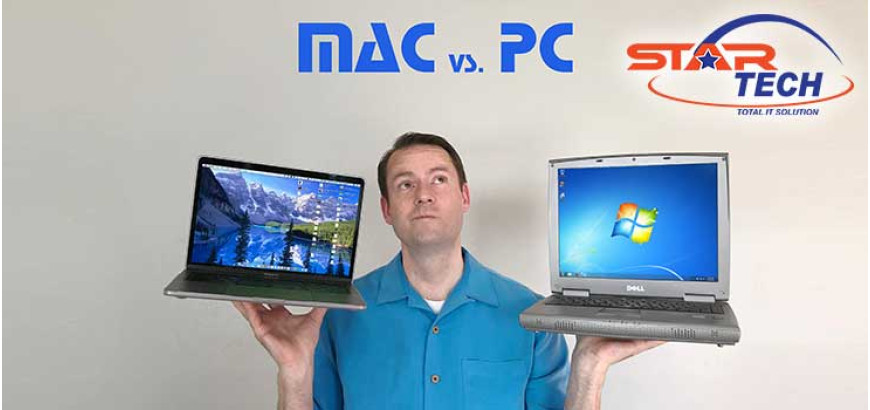
Choosing between a Mac and a PC in 2026 depends on what you need from your computer. This blog explains whether Mac or PC is best for different users based on their specific tasks and budget. Apple chip technology has changed how Macs perform compared to traditional Intel or AMD processor options in PCs. Different computer users have unique needs for work, gaming, creative projects, and everyday browsing. Understanding these differences helps you make the right choice for your workstation. We'll guide you through the key factors that matter most when picking your next computer.
Table of Contents
- What Macs and PCs Have in Common
- MacOS vs Windows: How They Differ
- The Right Computer For Your Needs
- What Really Matters When Choosing
- Mac or PC: Your Decision Made Easy
What Macs and PCs Have in Common
Both Mac and Windows computers share more similarities than you might think. Thus, comparing a Windows PC to an Apple Mac device is going to be difficult to explain at some points. They handle basic tasks like web browsing, email, document editing, and video streaming equally well. Modern macOS by Apple and Windows OS by Microsoft offer similar core functions for everyday computing. When comparing macOS Sequoia vs Windows 11 features, both systems provide strong security, cloud storage options, and app ecosystems. The real differences appear when you look at hardware choices, software availability, and how each system fits your workflow and budget needs.
MacOS vs Windows: How They Differ
The main difference between these systems lies in their design philosophy and user interface. Apple Inc.’s macOS focuses on simplicity with a clean desktop layout and a dock at the bottom. Windows OS by Microsoft offers more customization options and flexibility in how you arrange your workspace. macOS Sequoia vs Windows 11 features show different approaches to multitasking, file management, and system settings. Apple keeps macOS exclusive to Mac computers, while Microsoft licenses Windows to many hardware manufacturers. Both systems continue improving their features with regular updates throughout the year.
The Right Computer For Your Needs
Your choice between Mac and PC depends entirely on how you plan to use your computer. Different tasks require different strengths from your system. Understanding your specific needs helps you avoid overspending on features you won't use or choosing a system that can't handle your work. Should I get a PC or a Mac? This question becomes easier when you match the computer's strengths to your daily activities. Let's break down which device works best for each type of user in Bangladesh.
For Home Entertainment
If you mainly watch movies, browse social media, and handle light tasks, a PC offers better value. Brand PCs give you reliable performance, offering an optimized hardware selection by renowned brands like Acer, Dell, and others. You can stream content, video chat with family, and manage photos without spending extra on premium hardware. Windows handles basic home usage smoothly with access to all popular apps and services.
For Designers and Creatives
Mac vs PC for photo editing strongly favors Mac systems for professional designers. MacBooks and iMacs deliver accurate color reproduction on their built-in displays. The macOS environment integrates perfectly with Adobe Creative Suite and other design software. However, high-end Windows workstations with powerful graphics cards also handle content creation exceptionally well. Your choice depends on your budget and preferred workflow for fashion design projects.
For Developers
Developers find both systems useful depending on their focus area. Mac vs PC for work in programming often comes down to what you're building. Macs offer a Unix-based system that makes web development and iOS app creation smoother. Windows PCs excel at game development and enterprise software projects. Most coding tools run on both platforms, so either choice works for software development careers. But for this type of user, a PC would offer better freedom in their work.
For Office Work
Windows dominate in Bangladesh's corporate sector. Most companies use Windows-based networks and office tools like Microsoft Office and specialized business software. A Brand PC or portable mini PC from the ASUS brand runs all necessary applications for videoconferences and daily tasks. Mac vs Windows in 2026 still shows Windows leading in business compatibility.
For Students
Choosing a Mac or PC for college students varies depending on their field of study. For instance, engineering students need Windows because specialized software like AutoCAD and MATLAB runs better on PCs. A tablet PC offers flexibility for taking notes in class and working on projects. Science and business students also benefit from Windows compatibility with university systems. However, design or media students might prefer Macs for creative coursework.
For Gamers
Gaming PC systems outperform Macs in every gaming scenario. Windows supports thousands more games than macOS. You can upgrade your graphics card, add more RAM, and customize components as new games demand better performance. The Mac vs PC guide for gaming always points toward Windows machines. A dedicated monitor with high refresh rates pairs perfectly with gaming PCs for the best experience. Macs simply weren't built with gaming as a priority.
What Really Matters When Choosing
Before choosing between these systems, you need to understand the technical and practical differences that affect daily use. Each factor influences your experience differently based on your work style and requirements. Let's explore the key considerations that shape your decision.
Software You Can Run
Software availability creates the biggest divide between these platforms. Windows runs almost every program available, from local accounting tools to specialized education software used in Bangladeshi institutions. Comparing a Windows PC to an Apple Mac Studio shows Windows winning for business users who need diverse applications. An audio professional searching for Mac vs PC for Music production will find both systems capable, though some prefer Mac's Core Audio system. However, gamers face major limitations on Mac since most games only support Windows.
How Devices Work Together
Apple creates a connected experience across iPhone, iPad, Apple Watch, and Mac computers. Your messages, photos, and files sync automatically between devices. Mac and PC comparison in ecosystem integration clearly favors Apple if you already own their products. On the flip side, Windows offers flexibility by working with devices from any manufacturer. You can pair a Windows laptop with an Android phone or any brand of tablet without compatibility worries.
Shape and Size Options
PC manufacturers offer an incredible variety in device designs. You can choose from traditional towers, Windows-based all-in-one PCs, convertible laptops, portable mini PCs, and gaming rigs. Apple limits you to MacBook laptops, Mac Mini, Mac Studio, and iMac by Apple desktop models. Is it worth buying a Macbook than PC in 2026 partly depends on whether you need specific form factors. Bangladeshi students who need battery life and portability for campus use find both MacBook Air and lightweight Windows laptops suitable.
Customization Flexibility
Windows lets you customize almost everything about your computer's appearance and behavior. You can change themes, modify the Start menu, and adjust taskbar placement. Mac vs PC, which is better for personalization, clearly points to Windows. macOS keeps customization limited to protect system stability and maintain Apple's design vision. Creative professionals and gamers often want their workspace to reflect their personality and workflow preferences.
Swapping Parts
Desktop PCs allow you to swap components between different builds and brands. Your graphics card, RAM, SSD, and even processor can move to a new motherboard if needed. Mac and PC pros and cons include this major difference in hardware flexibility. Apple designs components specifically for its systems, making part swapping nearly impossible. Bangladeshi tech enthusiasts who enjoy building and modifying systems find PCs more accommodating.
Future Upgrades
Modern MacBooks seal almost everything inside, preventing upgrades after purchase. You must choose maximum RAM and storage at the time, which increases initial costs. Mac vs PC performance comparison shows that upgradable PCs maintain relevance longer through component improvements. Desktop PCs let you add more RAM, install faster SSDs, and upgrade graphics cards as technology advances. Data science students can start with basic specs and upgrade later as their computational needs grow.
Ports and Connections
Recent MacBooks reduced physical ports to mostly USB-C connections, requiring dongles for older devices. Windows laptops typically include USB-A ports, HDMI outputs, SD card readers, and headphone jacks built in. Whether it is worth buying a MacBook depends partly on your connectivity needs. Mac vs PC for video editing shows both handling the work well, but PC users connect cameras and external monitors without carrying extra adapters.
More Safer Device
MacOS faces fewer malware threats because fewer attackers target the smaller Mac user base. Apple's closed ecosystem also makes it harder for malicious software to penetrate system defenses. However, Windows security improved dramatically with Windows Defender and regular updates since the launch of Windows 10. Mac vs PC for business security shows both systems are secure when properly configured. The real security difference comes from user behavior rather than the operating system itself.
Depending on Longivity
Apple's custom chips deliver exceptional battery performance in MacBooks. The M-series processors use less power while maintaining strong performance for productivity and creativity tasks. Whether it is worth buying a PC depends on finding Windows laptops with quality processors like Intel or AMD chips, optimized for efficiency. Budget Windows machines might last only 4-5 hours, while premium ultrabooks compete closely with MacBook endurance.
Build Quality
MacBooks use aluminum construction that resists daily wear and maintains strong resale value. Mac and PC comparison in longevity shows quality Windows laptops matching Mac durability, though budget PCs often use cheaper plastics. Whether it is worth buying a PC depends partly on choosing models with solid construction, like ThinkPads or premium Dell systems.
Bangladeshi users who keep computers for 5-6 years should invest in well-built machines regardless of platform. PCs also cost less while delivering everything needed for professional multitasking and presentations.
Mac or PC: Your Decision Made Easy
The comparison between macOS and Windows comes down to matching the computer with your actual needs and budget. Students benefit from affordable Windows laptops, while creative professionals often prefer Macs for design work. Gamers need Windows systems with powerful specs. Thus, should I buy a Mac or PC, confusion becomes easier when you consider your daily tasks and required programs.
Bangladesh's leading tech retailers like Star Tech stock the complete range of computing devices for every user type. Whether you need a Mac Mini, a gaming laptop from MSI or ASUS, a premium ultrabook from HP or Lenovo, or the premium Microsoft Surface laptop, you can find authentic products with proper warranty support at authorized stores like ours.
Frequently Asked Questions (FAQS)
Can I run Windows on a Mac?
Yes, you can run Windows on a Mac using Boot Camp or virtualization software like Parallels Desktop. Mac vs PC flexibility improves when you install Windows, allowing access to Windows-only programs and games.
Does a MacBook last longer than a Windows laptop?
MacBooks typically last 5-7 years with their aluminum build. Quality Windows laptops from ThinkPad or Dell XPS also last this long. Mac vs PC longevity depends more on build quality than the operating system itself.
MacBook Pro vs. gaming laptop: Which to buy in Bangladesh?
Buy a gaming laptop for playing modern games. The MacBook Pro cannot run the most popular games. Mac vs PC for gaming always favors Windows gaming laptops from MSI, ASUS, or Lenovo Legion available in Bangladesh.
Which is better for students: Mac or PC?
Windows laptops work better for most Bangladeshi students. Universities use Windows-based software for engineering, accounting, and science courses. Mac vs PC for students shows Windows offering better compatibility and affordability.
Is a Mac better than a PC for programming?
Both work well for programming. Macs excel at web development and iOS apps. Windows PCs handle game development and enterprise software better. Mac vs PC for developers depends on your focus area and budget.
Which has better battery life, a MacBook or a Windows laptop?
MacBooks with M-series chips deliver 15-20 hours. Premium Windows ultrabooks achieve 10-15 hours, while budget models last 4-6 hours. Mac vs PC battery performance shows MacBooks leading overall.
Which offers better customer support locally in Bangladesh, Apple or PC brands?
PC brands offer better local support in Bangladesh. Apple has limited service centers mainly in Dhaka. Mac vs PC support availability favors Windows brands like ASUS, HP, Lenovo, and Dell with centers in multiple cities.

Comments
There are no comments for this Article.