
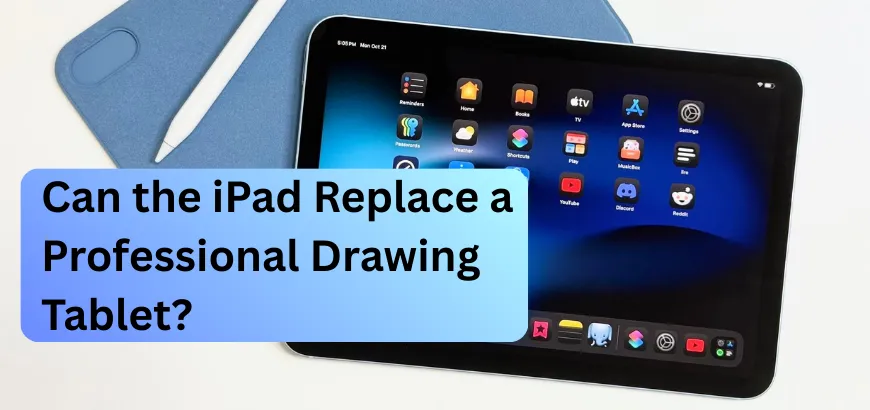
Choosing a drawing tablet can feel confusing. There are many options, and each one promises something different. When you see an iPad, it often catches your eye. It is light, clean, and easy to carry. It reminds you of drawing while traveling or during quiet breaks. You may start to wonder if this small device can replace your old drawing tablet. Many artists think about this choice. Comfort, power, and portability all matter. In this blog, we’ll clearly compare the iPad with professional drawing tablets.
We’ll look at simple things like workflow, drawing feel, and daily use. You’ll learn what truly matters when choosing a tool that matches your style, plus simple personal stories that helped guide our final decision. This guide is helpful for beginners starting digital art for the first time. It also helps experienced artists who want a lighter and more flexible setup. By the end, you’ll clearly know which option supports your art better. Let’s start by answering the question many artists ask today.
Table of Contents
- What Makes Them Different
- How They Perform for Real Work
- The Daily Use Reality
- What You'll Actually Spend
- Finding Your Perfect Match
- Buy The Professional Drawing Tablet from Star Tech
What Makes Them Different
A drawing tablet connects to your computer and offers steady precision, while an iPad works alone, stays portable, and supports quick sketches anywhere, depending on your workflow needs.
Understanding the Basics
A drawing tablet is a digital surface that connects directly to your computer. It uses a stylus and creative software to give smooth and precise control. Many artists choose it for steady work that needs focus and consistent accuracy. You used a graphics tablet every night while freelancing and fixing tight deadline edits.
The iPad is different because it works as a standalone drawing and media device. It runs apps independently and doesn’t require any cables or extra setup steps. Its touchscreen and Apple Pencil make drawing feel simple, quick, and very portable. You used a Drawing Tablet while traveling when client messages came at unexpected times.
These devices also differ strongly in design and overall creative purpose. A drawing tablet feels stable and grounded, ideal for detailed studio projects. The iPad feels lighter and more flexible, perfect for fast sketches on busy days. Some artists use it for notes, quick ideas, or drawing outside their workspace. Understanding these basics helps you pick the device that supports your workflow best.
How They Perform for Real Work
Pressure sensitivity feels different on each drawing tablet, especially during long sessions. Many artists notice smoother transitions on Wacom, Huion, and XPPen, while the iPad responds well enough for most daily sketches. Pen accuracy also varies when working on detailed pieces or tight lines. Wacom pens track extremely precisely, while the Apple Pencil stays accurate but can shake slightly on slow strokes. Screen quality strongly favors the iPad with its bright, sharp display.
Colors stay the same from every angle, making final artwork checks easier. Software options differ depending on your workflow and studio needs. iPad apps feel fast and intuitive, while desktop tools offer deeper professional features. Processing power matters when running large files or complex brushes. The iPad handles big canvases surprisingly well, but desktop tablets push heavier workloads without slowing down.
The Daily Use Reality
Using drawing tablets daily shows how each one feels different. An iPad offers easy portability that fits naturally into small workspaces at home. A drawing tablet often needs more room, especially when paired with a laptop or PC setup. The iPad’s long battery life supports sketching anywhere, while graphics tablets provide steady power but limit movement. Screen size also shapes comfort because larger displays help with detail work, but add weight or demand a bigger desk.
Many artists notice how ergonomics shift during long sessions, with iPads feeling flexible but sometimes awkward to hold upright. Drawing tablets usually offer better angles that reduce strain over time. Setup differs too, since an iPad starts instantly, while drawing tablets require drivers and deeper calibration. Still, both options become familiar with practice, and each one fits into daily routines differently depending on workflow and comfort.
What You'll Actually Spend
Costs vary quickly once you compare real setups for daily creative work. An iPad with an Apple Pencil often feels affordable until storage upgrades raise prices. Professional drawing tablets range widely, giving more choices but demanding stronger budgets. Many artists also face software subscriptions that slowly add cost every single month. Long-term value depends on how consistently the device supports your workflow needs. Some users keep using drawing tablets for years because their performance stays reliable.
Others upgrade iPads sooner as new features arrive almost every cycle. Hidden expenses also appear when you add cases, stands, replacement tips, or screen protectors. Cables and adapters for traditional tablets can also raise overall spending quietly. Realistically, the right choice depends on how much you create and how often you upgrade tools. Careful budgeting helps reduce surprises and keeps your setup sustainable over time.
Finding Your Perfect Match
Deciding between an iPad and a drawing tablet depends on your creative needs and daily routine. Many artists find the iPad ideal for portability, allowing sketching anywhere without heavy equipment. Its fast startup and simple setup make it great for spontaneous ideas and quick projects. Beginners also benefit because there is almost no learning curve, and it works well in small workspaces. The iPad suits creators who enjoy casual drawing, note-taking, or experimenting with new styles without extra hardware.
Professional drawing tablets, on the other hand, shine when precision is crucial. They offer advanced stylus control, rotation support, and customizable buttons that speed up complex workflows. Larger screens make long sessions more comfortable, and they pair with full desktop software for client-ready projects. Artists who need detailed control or plan to work in studios usually prefer this setup for consistency and performance.
Some creators benefit from using both tools. The iPad works for on-the-go sketching, while a drawing tablet handles heavier production. Switching between the two can create a workflow that is flexible, efficient, and tailored to real-life creative demands.
Buy The Professional Drawing Tablet from Star Tech
Many artists wonder if an iPad can replace a professional drawing tablet. At Star Tech, we see how both tools have their strengths depending on your workflow. The iPad offers portability, smooth touch controls, and a natural feel with the Apple Pencil, making it ideal for sketching anywhere. Professional drawing tablets, however, often provide advanced stylus features, customizable buttons, and larger screens for detailed projects. Choosing the right device depends on whether you prioritize convenience, precision, or software compatibility.
Star Tech provides both iPads and drawing tablets, along with essential accessories like styluses, replacement tips, and protective cases, to enhance your creative experience. Many of our customers share how trying devices in-store helped them find what truly fits their drawing style. Visit your nearest Star Tech shop or order online to get genuine products with an official warranty delivered directly to your door.
Frequently Asked Questions (FAQS)
Can an iPad fully replace a professional drawing tablet?
The iPad can replace drawing tablets for sketches and casual work but lacks extreme precision for professional studio projects.
Which drawing device is more portable for artists on the go?
iPads are lightweight, battery-powered, and standalone, making them far more portable than traditional, computer-connected drawing tablets.
What about the screen quality and color accuracy of the drawing device?
iPads provide bright, sharp displays with consistent colors, while drawing tablets depend on your connected monitor’s calibration.
Are iPads suitable for long drawing sessions?
iPads are handy but may strain your hands. Professional drawing tablets have bigger screens and are more comfortable for long hours of work.
Who should choose an iPad over a professional tablet?
Beginners, casual artists, and those needing portability or small workspace setups benefit most from an iPad.
Who should choose a professional drawing tablet over an iPad?
Artists needing high precision, advanced stylus features, and studio-ready software should prefer professional drawing tablets.

Comments
There are no comments for this Article.