Popular HP Monitor Best Price in BD
HP monitors are available for home, office work, professional use, entertainment, and gaming. Screen size, resolution, panel type, refresh rate, and connectivity all impact the buying decision. The HP monitor price in Bangladesh also varies according to these specifications and features. Star Tech offers HP monitors in different sizes, from compact displays for smaller desks to larger screens for multitasking. FHD monitors remain a convenient choice for everyday work, while QHD and 4K are better suited to users who need more detail. Higher refresh rates can also provide smoother movement during scrolling, gaming, and other fast-moving content.
Latest HP Monitor Price List in BD
Different Series of HP Monitors
HP monitors are segmented into several series for office work, professional use, and gaming. The Series 3 Pro, Series 5, Series 5 Pro, E Series, and OMEN families cover different performance levels and user needs. Each series includes models with different screen sizes, resolutions, refresh rates, connectivity, and ergonomic features.
HP Series 3 Pro
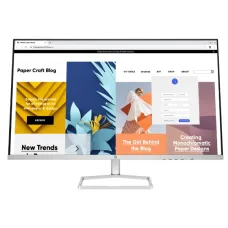
HP Series 3 Pro targets everyday office work, study, browsing, and general desktop use. Current models include the 23.8-inch 324pf and 27-inch 327pe, both FHD with 100Hz refresh rates. With compact screen sizes, IPS panels, and practical connectivity, these monitors are suitable for home and office setups, including smaller desks. These models are common choices for everyday office tasks.
HP Series 5 and 5 Pro
HP Series 5 and Series 5 Pro cover mainstream productivity with feature choices. The Series 5 527da is a 27-inch FHD model, while the Series 5 Pro includes the 27-inch 527pq with QHD resolution, a 100Hz refresh rate, an IPS panel, and 100% sRGB. These models fit office, multitasking, and professional workflows across workspaces. Series 5 Pro also includes USB-C and ergonomic options on selected models.
HP OMEN Series
HP OMEN is the brand’s gaming-focused monitor series, built around faster refresh rates, quick response times, adaptive-sync support, and gaming-oriented connectivity. Models span FHD and QHD resolutions, including displays such as the OMEN 27q. This series is relevant for gamers who prioritize smoother motion, responsive gameplay, and competitive performance during fast-paced sessions. Higher-refresh models can also suit gaming setups with capable graphics hardware.
HP E Series
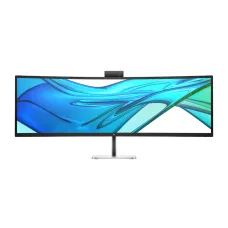
The HP E-Series focuses on business and workplace environments, with models covering standard office displays, USB-C connectivity, conferencing, and higher-resolution setups. Examples include the HP E27k G5 4K UHD USB-C Monitor and the E32k G5 4K UHD USB-C Monitor. These features support office productivity, device connectivity, and flexible desk setups across business needs. The range also includes conferencing and curved-display options for specific workplace requirements.
Which HP Monitor Size Should You Choose?
Monitor size considers both viewing comfort and desk space. Smaller displays are easier to place in compact workstations, where larger screens need more space for multiple uses. The right monitor size also depends on viewing distance and resolution. For many users, 23.8 inches is a balanced starting point. A 27-inch screen is more useful when multitasking becomes a regular part of the diverse workflow.
21.5 to 22-inch HP Monitor
An HP 21.5- or 22-inch monitor is appropriate for compact desks and straightforward working out. It can manage browsing, documents, study, online classes, and basic office applications. This size is easier to accommodate on smaller desks and tables. FHD resolution is generally sufficient for this screen size, especially when the monitor is used mainly for productivity rather than detailed creative work.
23.8 to 24-inch HP Monitor
A 23.8- or 24-inch monitor presents a practical balance between working area and physical size. It fits most standard desks and ensures enough space for documents, browsers, spreadsheets, and multiple applications. This size is common in HP's office-focused range. FHD is convenient for general work, while features such as a 100 Hz refresh rate, USB connectivity, and adjustable stands can improve the overall workstation experience.
27-inch HP Monitor
A 27-inch monitor is useful when you need more screen space for multitasking, spreadsheets, programming, editing, or entertainment. Resolution becomes more noticeable at this size. FHD can handle regular workloads, but QHD gives finer detail and more usable workspace. Users should also consider desk depth because larger monitors require a comfortable viewing distance.
32-inch and Larger HP Monitor
Large HP monitors are useful for users who regularly work across several windows or need a wider visual workspace. Curved and ultrawide displays can make the additional width easier to manage. These monitors need more desk space and a suitable viewing distance. They are particularly useful for multitasking, content creation, professional applications, and interactive entertainment.
FHD, QHD, or 4K HP Monitor?
Choosing the right resolution of an HP monitor depends on the screen size and workload. FHD is enough for browsing, documents, study, office applications, and general entertainment. QHD ensures more detail and workspace, making it a strong option for 27-inch productivity monitors and gaming setups. 4K UHD produces much higher pixel density and sharper fine details. A 4K HP monitor is particularly useful for creative work, professional applications, and high-resolution media. However, higher resolution also places greater demands on graphics hardware, particularly when gaming at higher refresh rates.
IPS, VA, or TN: Which Panel Is Better?
Panel type impacts image quality, viewing angles, contrast, and response characteristics. IPS panels are widely used in HP monitors because they offer consistent colors and wide viewing angles. HP monitors are a good general choice for office work, content consumption, and many creative applications. VA panels can provide stronger contrast and deeper blacks, which can benefit movies and darker gaming scenes. TN panels are found mainly in simpler or older monitor designs. For most general-purpose users, IPS is the safer choice when image consistency matters.
How to Choose the Right HP Monitor
Start with your daily workload rather than choosing by size alone. Office users should check resolution, ergonomics, ports, and panel type. Designers should look closely at color accuracy, resolution, and panel quality. Gamers should prioritize refresh rate, response time, adaptive sync, and graphics compatibility. Laptop users may benefit from USB Type-C connectivity for a cleaner workstation. Also check the stand adjustment if the monitor will be used for several hours each day. A monitor with the right combination of features is usually more useful than paying extra for specifications you will rarely use.
Buy HP Monitor from Star Tech
Star Tech's HP monitor segment brings together displays with different screen sizes, resolutions, panel types, refresh rates, and connectivity options. The category currently spans multiple pages, allowing buyers to compare a broad range of HP displays in one place. Before buying, check the monitor's resolution and refresh rate against your computer's graphics capability. Make sure the available ports match your desktop, laptop, or other devices. For professional setups, consider USB Type-C, USB hubs, and adjustable stands. For gaming, check adaptive-sync support and refresh rate. Finally, review the individual Star Tech product page for the latest availability, specifications, and warranty information.
Frequently Asked Questions (FAQ)
Q- 1: Which HP monitor is best for office work?
HP Series 3 Pro and E-Series monitors are practical for office work, with FHD resolution, IPS panels, ergonomic features, and useful connectivity.
Q- 2: Which HP monitor series is best for gaming?
HP OMEN is the gaming-focused series, featuring high refresh rates, quick response times, adaptive sync, and FHD or QHD resolution options.
Q- 3: Does HP have USB-C monitor options?
Yes. Selected HP Series 5 Pro, Series 7 Pro, and E-Series models include USB-C for display, data, and device connectivity.
Q- 4: What HP monitor size is best for small desks?
A 21.5- or 23.8-inch HP monitor works well on smaller desks while providing enough screen space for everyday tasks.
Q- 5: Where can I buy an HP monitor in Bangladesh?
You can browse HP monitors at Star Tech and compare current models, specifications, prices, availability, and warranty information before purchasing.